 By Ahmad Bilal
Social media has become an integral part of our daily lives, providing entertainment, communication, and information at our fingertips. However, excessive screen time can lead to eye strain, fatigue, and headaches, especially when usage habits are not optimized. Understanding how to adjust your device settings, manage your environment, and adopt healthy viewing practices can make social media browsing much more comfortable. Simple, consistent changes can reduce strain and protect long-term eye health while still allowing you to enjoy your favorite apps. In this article, we will explore practical strategies to maintain eye comfort while scrolling through social media.
Optimize Your Screen Display Settings
Enable Blue Light Filter and Dark Mode
Blue light emitted by screens can disrupt sleep patterns and contribute to eye fatigue. Enabling a blue light filter or night mode reduces exposure to this high-energy light, making your viewing experience gentler on the eyes. Dark mode, which displays lighter text on a dark background, can further reduce glare and brightness, especially in dim environments. The effectiveness of these features is enhanced on devices with advanced display technology. For instance, the eye comfort display in the HONOR Magic8 Pro automatically adjusts to reduce harmful blue light without compromising color clarity, providing built-in protection that adapts to your environment. Leveraging such integrated systems can significantly improve long-term viewing comfort.
Adjust Brightness and Text Size Properly
Incorrect brightness levels can worsen eye strain, either by making text too faint or creating glare that forces the eyes to work harder. Adjusting screen brightness to match ambient light helps maintain comfort without causing fatigue. Increasing text size when reading long posts or messages can prevent unnecessary squinting, which reduces tension in the eyes and surrounding muscles. Using adaptive brightness settings allows your phone to automatically balance brightness based on your environment. Regularly checking these settings ensures that your eyes remain relaxed, even during extended browsing sessions.
Develop Healthy Viewing Habits
Long uninterrupted sessions on social media can cause digital eye strain, sometimes referred to as computer vision syndrome. To prevent this, follow the 20-20-20 rule: every 20 minutes, look at something 20 feet away for at least 20 seconds. Blinking frequently is also important, as staring at screens tends to reduce blink rates, causing dryness and irritation. Holding your device at a comfortable distance—roughly 16 to 18 inches from your eyes—helps maintain focus without strain. By cultivating these habits, you create a sustainable routine that balances social media enjoyment with eye care.
Control Your Environment and Usage
Ensure Adequate Ambient Lighting
Poor lighting is a common contributor to eye strain during screen use. Working or browsing in rooms that are too dark forces your eyes to adjust continuously, which can cause fatigue. Conversely, extremely bright lighting or glare reflecting on your screen can also be uncomfortable. Positioning your device so that natural or artificial light does not directly reflect on the display can make a noticeable difference. Establishing a well-lit environment with balanced light reduces eye tension and makes prolonged social media use more comfortable.
Set Time Limits and Take Regular Breaks
Extended continuous use of social media is one of the main causes of eye discomfort. Setting time limits for daily browsing ensures that you take natural breaks and reduce strain. Using app timers or reminders can help reinforce these limits, especially if you tend to lose track of time while scrolling. Short breaks, even for a minute or two, allow your eyes to rest and recover from focusing on near objects. Incorporating these pauses into your routine fosters healthier viewing habits over time.
Choose Eye-Friendly Content Formats
Prefer Text Over Video When Possible
Videos often demand more focus and involve rapidly changing images, which can intensify eye strain compared to reading static text. When possible, prioritize posts, messages, or news feeds that rely on text rather than motion-heavy content. This approach allows your eyes to process information more comfortably and reduces fatigue during long sessions. Scrolling through text-based content also encourages you to pause and digest information naturally, which indirectly helps reduce strain. Balancing video and text consumption is a simple way to protect your eyes while staying informed and entertained.
Use Audio Features to Rest Your Eyes
Many social media platforms offer audio-based options, such as voice messages, podcasts, or text-to-speech features. Utilizing these options allows your eyes to rest while still consuming content. Listening to information rather than continuously watching the screen reduces glare and prevents prolonged near-focus strain. Audio features can also be combined with occasional screen glances to maintain awareness without overtaxing the eyes. Integrating these practices into your routine creates a balanced multimedia experience that protects eye health.
Maintain Good Eye Health Fundamentals
Beyond screen adjustments, overall eye health benefits from regular lifestyle habits. Staying hydrated helps prevent dry eyes, while adequate sleep allows your eyes to recover from daily strain. Regular eye exams are essential for detecting early vision problems or ensuring that existing prescriptions remain accurate. Incorporating eye exercises, such as rolling the eyes or focusing at varying distances, can also improve flexibility and reduce fatigue. Combining these fundamental practices with mindful device use ensures long-term comfort and protects your vision for the future.
Conclusion
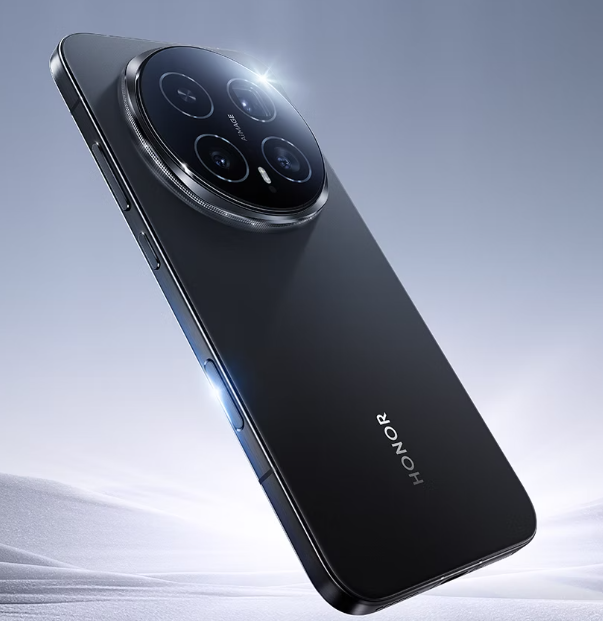
Protecting your eyes during social media browsing doesn’t require extreme measures. By simply optimizing display settings, adjusting your environment, and adopting healthier viewing habits, you can significantly reduce strain. Furthermore, leveraging audio content when possible provides your eyes with essential breaks. To support these habits, choosing a device with built-in eye protection features, such as the HONOR Magic8 Pro smartphone in UK, can offer added comfort without compromising performance. By combining these practical steps, you can fully enjoy your favorite platforms while effectively safeguarding your eye health and comfort.
 usasmooths