 By usasmooths
Choosing the correct power bank to securely charge your laptop may be difficult, especially with the variety of alternatives available today. Unlike smaller gadgets like phones, laptops require more power and particular capabilities to charge efficiently and securely. A power bank that is suitable for your laptop’s power requirements assures not only the safety of your computer but also the durability of its battery. This tutorial will look at the essential elements that make a power bank appropriate for laptop charging and provide advice on how to select the best one depending on your laptop’s needs.
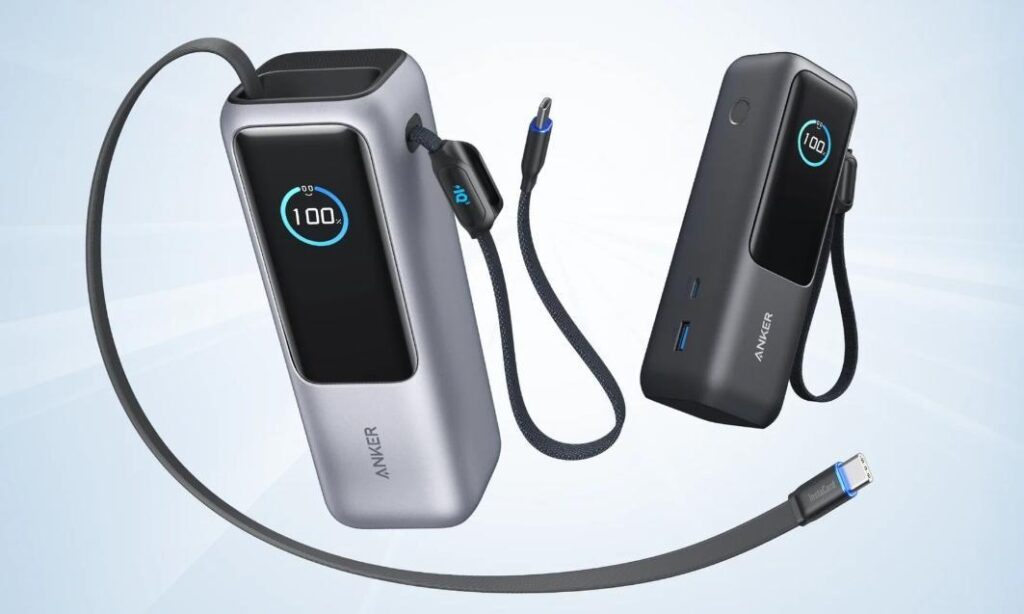
Wattage is an important consideration when buying a power bank for laptop charging. The higher the wattage, the more effectively the power bank charges a laptop. Power Delivery (PD) technology guarantees that the appropriate amount of power is transmitted, preventing overcharging and battery damage. A power bank with PD support provides varying voltages, allowing it to change its output to meet your laptop’s charging demands. Most current laptops benefit from a power bank with PD support ranging from 45W to 100W. Choosing one with suitable power will guarantee that your device charges quickly, reliably, and safely.
When selecting a power bank for your laptop, capacity—measured in milliampere-hours (mAh) or watt-hours (Wh)—is essential. A greater capacity indicates that the power bank can store more energy, resulting in more charge cycles. Larger capacity, however, increases the size and weight of the power bank, which may have an influence on portability. To charge a laptop, you normally need a power bank with at least 20,000mAh or 50Wh capacity. It is critical to strike a balance between sufficient capacity to completely charge your laptop and a small form that is easy to transport. For regular travelers, smaller, lighter power banks may be more convenient, but they should still give adequate power.
When choosing a power bank for your laptop, safety should come first. Look for certificates like UL, CE, or RoHS that show the power bank satisfies safety criteria. These certificates lower the chance of overheating, short circuits, and other risks. Also, the cables and connectors need to be of high quality to make sure that electricity is delivered efficiently. If you use low-quality cords, your laptop may not charge properly or possibly get damaged. Check that the power bank and its cords work with your laptop’s charging connector, whether it’s USB-C, Lightning, or something else. Compatibility also makes sure that the power bank can talk to your laptop so that it may charge as quickly as possible.
Before you choose a laptop power bank, you need to first determine your laptop’s charging requirements. Begin by determining the wattage your laptop requires, which is generally located in the user manual or on the manufacturer’s website. Most laptops require 45W to 100W of electricity, depending on the model. Once you know your laptop’s power needs, choose a power bank for laptop that provides at least the minimum wattage required for optimal performance. Be mindful of your laptop’s battery capacity as well; a power bank with a higher capacity can extend your charging time, but you’ll want to make sure it matches your laptop’s needs without causing damage or excessive heat.
Make sure the power bank you purchase is compatible with the charging port and connector type on your laptop. Many new laptops utilize USB-C to charge, so seek a power bank that supports USB-C PD. If your laptop has a different charging connection or connector, such as a proprietary barrel jack or MagSafe, look for a power bank that contains the necessary adapters or cables. It is also critical to ensure that the power bank’s output ports can handle the appropriate wattage. For example, if you require 60W to charge your laptop, select a power bank with at least one connector capable of providing that output.
A laptop power bank’s characteristics may vary depending on the scenario. If you travel regularly, a small, lightweight power bank with enough juice to charge your laptop at least once during the journey is great. For remote work, you may want to select a greater capacity to allow for longer periods of use without having to connect to an outlet. In an emergency, you may choose a power bank with fast charging capabilities, which allows you to swiftly recharge your laptop when there is no power supply available. Consider how frequently and where you will use your power bank, and choose one that meets your individual demands for mobility and performance.
Choosing the correct power bank to securely charge your laptop requires consideration of a number of variables, including wattage, capacity, safety certifications, and compatibility. The trick is to strike a balance between power output and mobility, ensuring that your laptop charges fast and effectively while avoiding harm. Always examine your laptop’s charging needs and match the power bank’s characteristics properly. With the correct power bank, you can charge your laptop when traveling, working remotely, or in an emergency. Prioritizing safety, quality, and compatibility will guarantee that your laptop charges reliably and securely.